
Observability
Know what happened to every email you sent
SES delivers your email. But after that, you're on your own — piecing together CloudWatch metrics, SNS notifications, and SES console lookups to answer basic questions. SendOps gives your entire team a single place to see what was sent, what was delivered, what bounced, and what your recipients did next.
The problem
SES tells you an email was sent. It doesn't tell you much else.
SES has a dashboard and message search — inside the AWS console. For operators, that's a starting point. But it means the only people who can answer "did this email get delivered?" are the ones with AWS access. Everyone else files a ticket and waits.
A customer says they never got a password reset. Support can't check — they don't have AWS access, and you wouldn't want them to. So it escalates to engineering. A thirty-second lookup, three people, half a day.
The tooling inside AWS works for operators. It doesn't work for the ten other people who need the same data.
0
AWS logins for your team
0
moMonths of searchable event history
0
minTo connect to your SES account
0
Extra AWS services to wire up
Dashboard
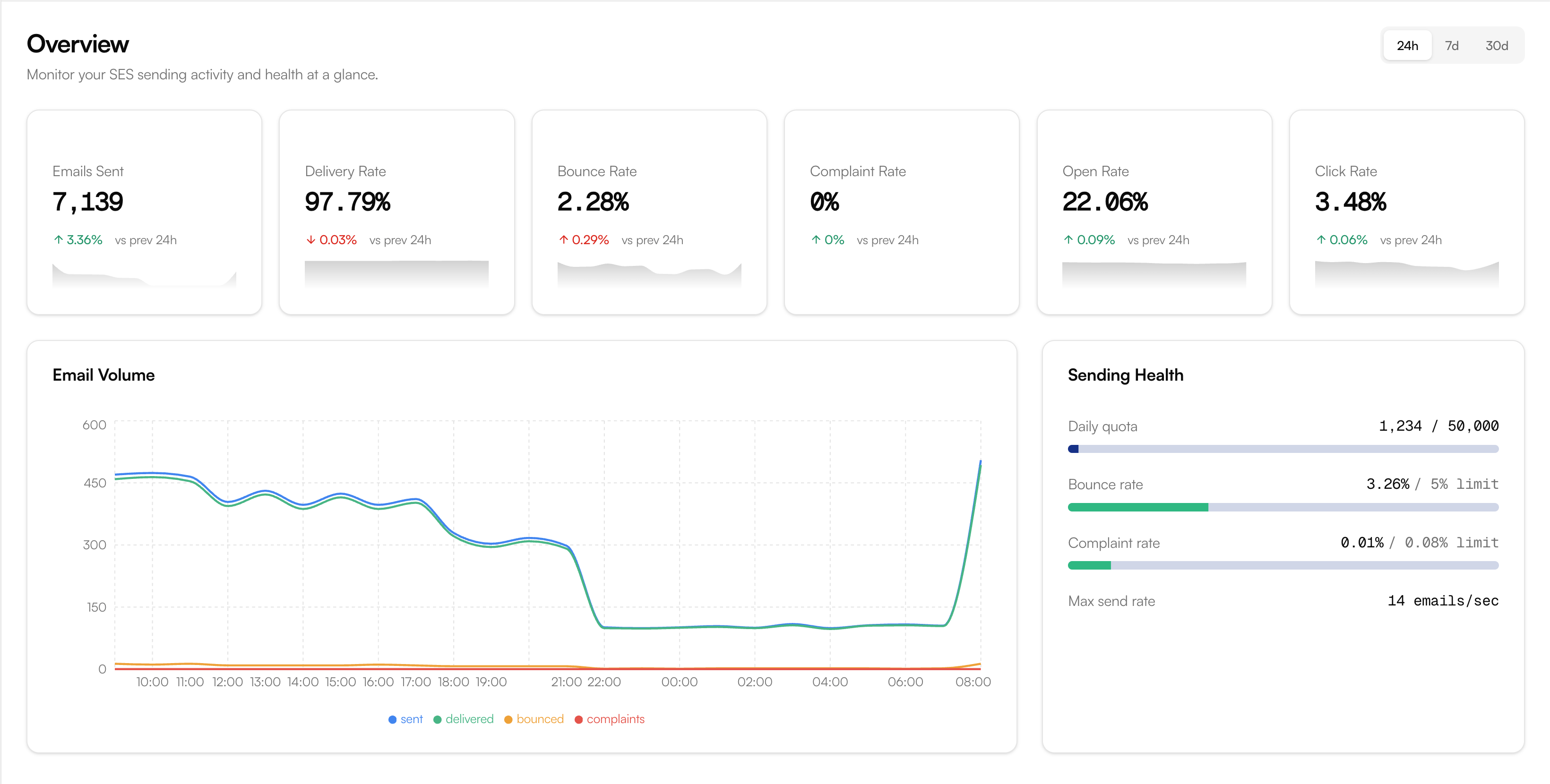
One dashboard for delivery, engagement, and reputation
SendOps pulls every SES event — deliveries, bounces, complaints, opens, clicks, and rendering failures — into a single dashboard that updates in real time. No CloudWatch queries, no custom metrics, no SNS-to-Lambda pipelines.
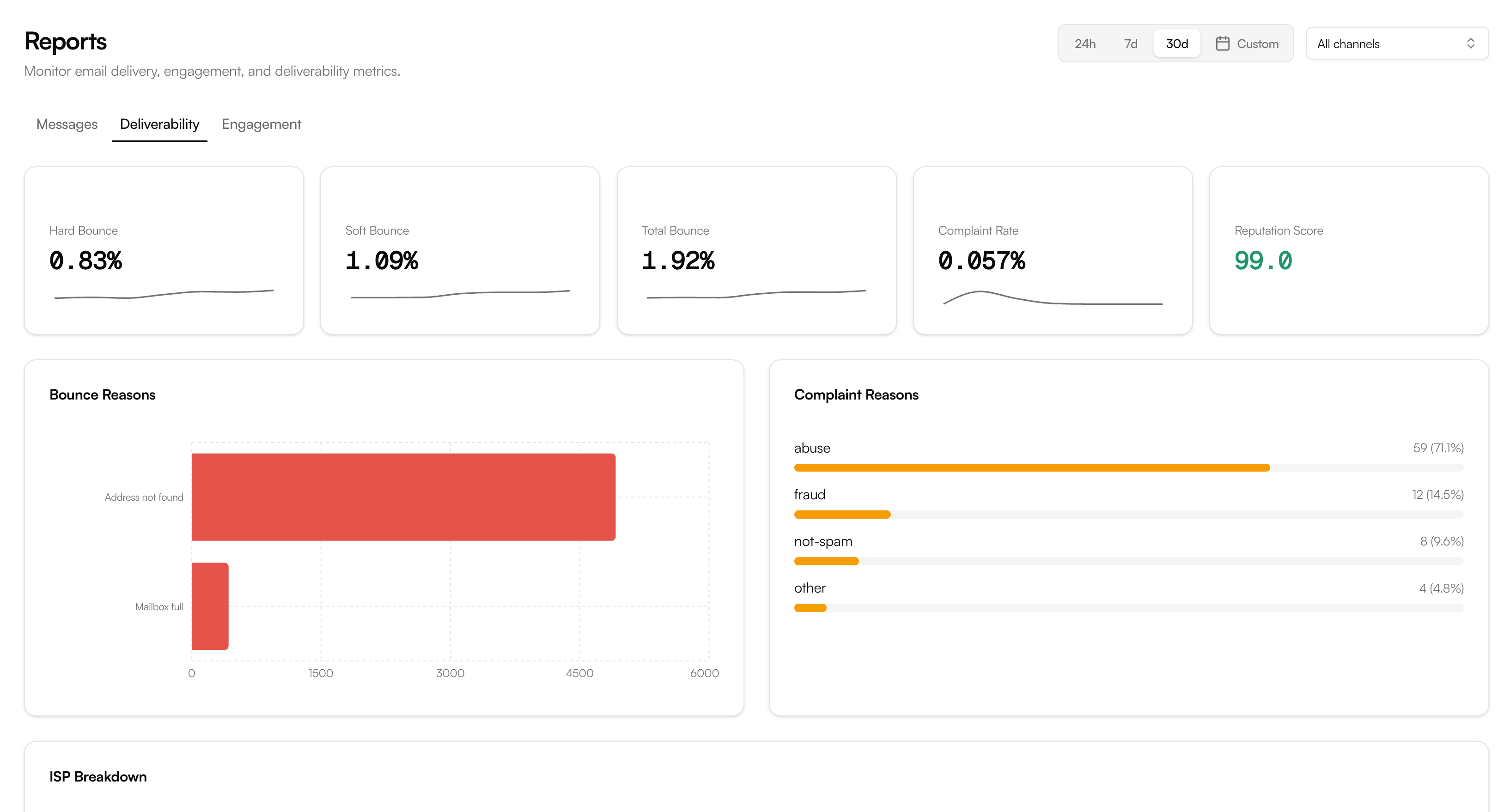
Deliverability
Bounce rate · Complaint rate · Reputation score
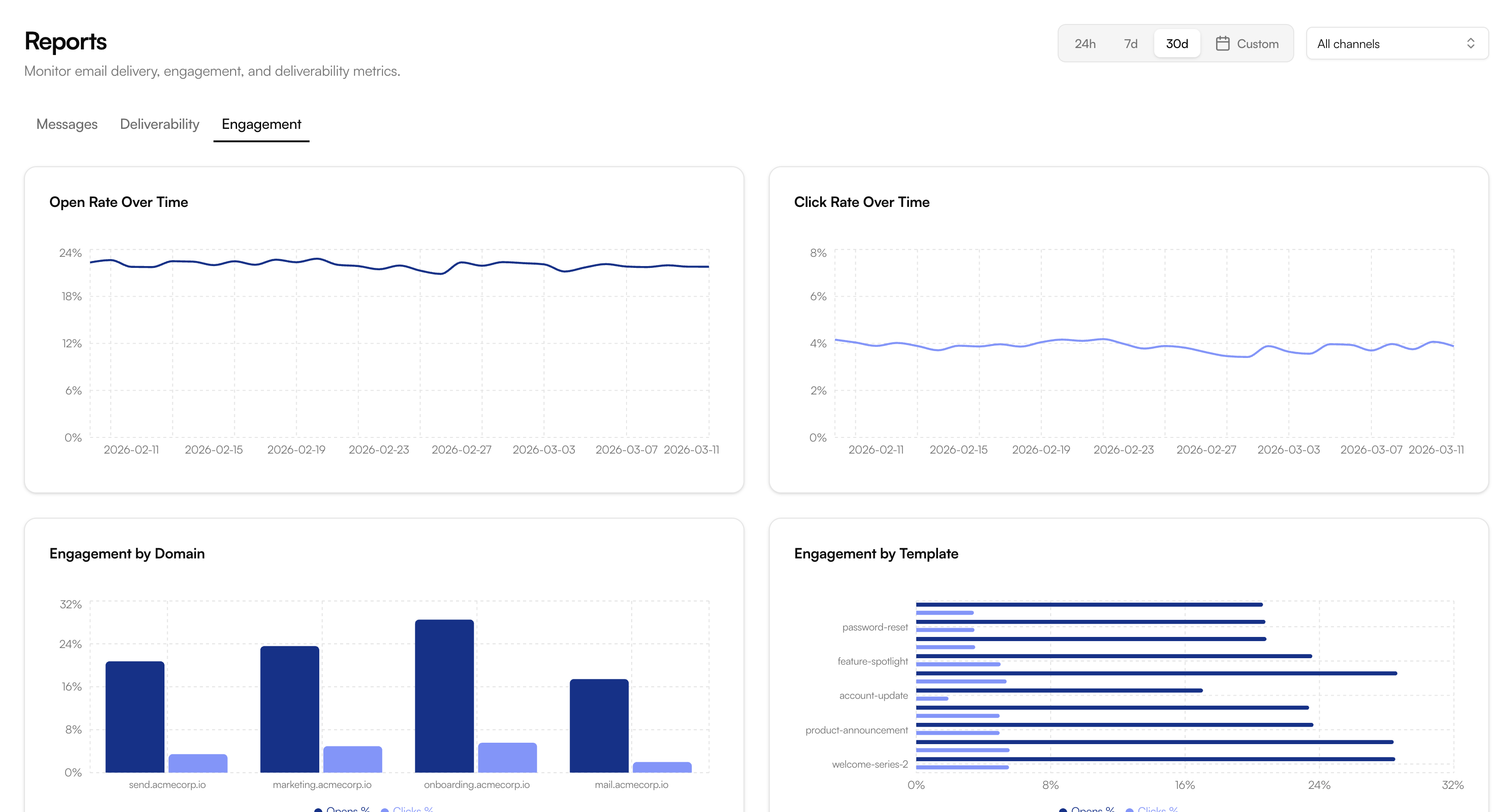
Engagement
Open rate · Click rate · By domain and template
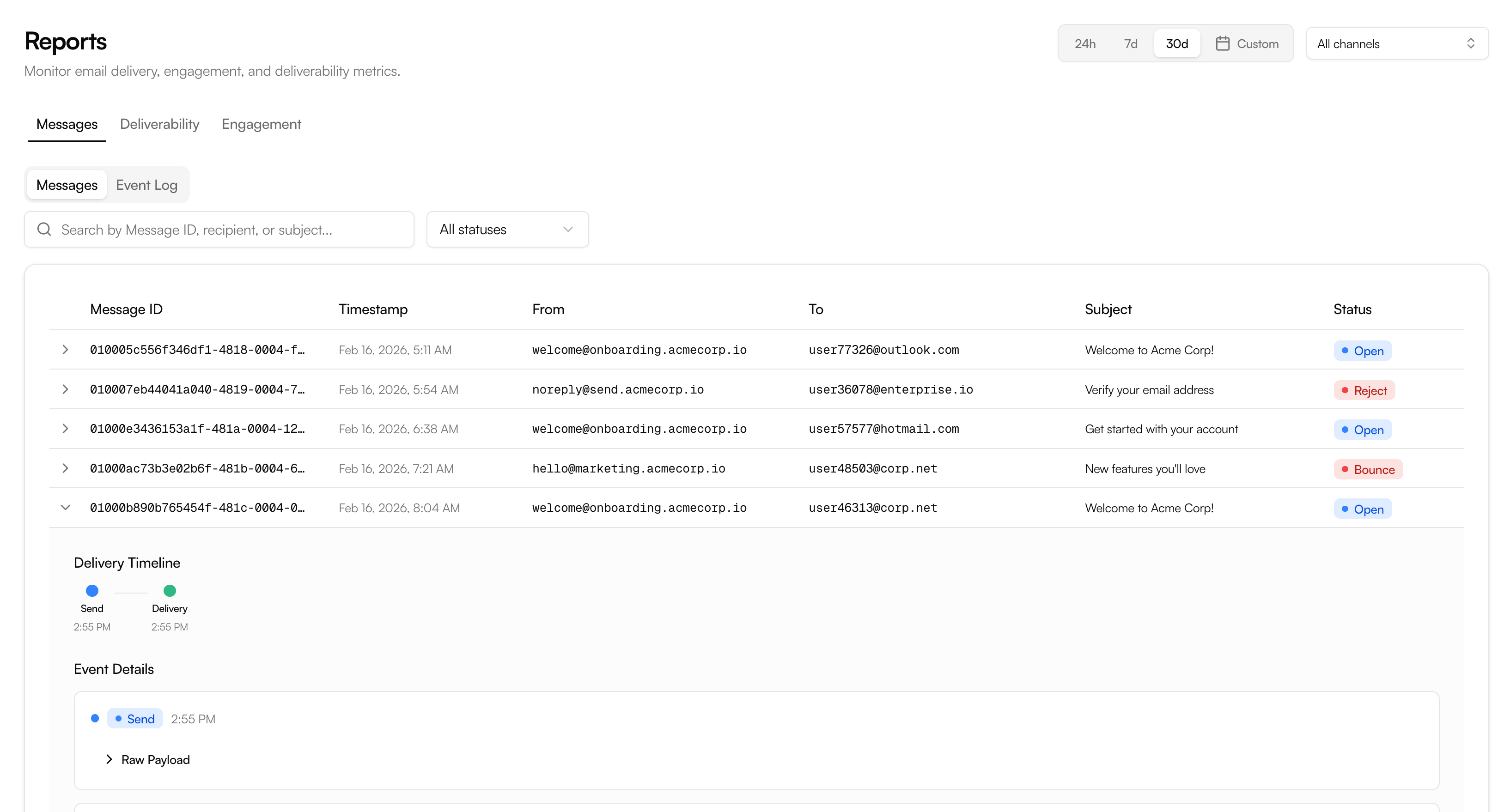
Messages
Delivery timeline · Event log · Per-message status
With AWS alone
9 services. Still no dashboard.
Getting meaningful observability out of SES alone means assembling a pipeline across EventBridge, SNS, SQS, Lambda, Kinesis, S3, and CloudWatch — and then building a dashboard on top of all of it. Every piece needs to be deployed, wired, permissioned, and maintained.
- Requires AWS console access — support and marketing can't use it
- No search: you query CloudWatch Insights, not a purpose-built UI
- No retention unless you build and maintain the storage pipeline yourself
- Every service must be wired, deployed, IAM-permissioned, and monitored
- You still end up building the dashboard at the end of all this
Message search
Every email leaves a trail
- Delivered
Reset your password
Mar 11, 2026 · 14:02:33
- Delivered
Welcome to Acme
Mar 10, 2026 · 09:14:02
- Bounced
Your invoice #1042
Mar 8, 2026 · 11:47:18
Reset your password
Delivered- To
- user@example.com
- Channel
- transactional
- Sent
- Mar 11, 2026 · 14:02:33
via production channel
to user@example.com
first open
/reset-password
second open
A customer says they never got a password reset. Support searches the recipient's address, sees the message was delivered 12 minutes ago, opened twice, and the reset link was clicked. Ticket resolved in under a minute — no escalation, no engineering time, no AWS console.
Observability your whole team can actually use
The data is only useful if the right people can see it. AWS makes that hard. SendOps makes it default.
For Support
Support shouldn’t need AWS access to answer basic delivery questions. With SendOps, they search the recipient’s address, see the full timeline, and close the ticket themselves.
For Marketing
Campaign performance shouldn’t live in CloudWatch. SendOps shows open rates, click rates, and engagement trends — filterable by template, channel, or time period. No AWS login required.
For Operations
Stop building dashboards on top of CloudWatch and SNS. SendOps gives you delivery rates, bounce trends, complaint tracking, and quota monitoring — with alerting built in.
See what's happening with your email
Free plan available. Connects to your SES account in two minutes.